
Secure APK Install: Safe Subway Surfers Mods at Subwaysurfersapks.com
When you want to download a mod for a popular game like Subway Surfers, it’s natural to look for a specific website, such as subwaysurfersapks.com. The key is to understand how to stay safe while doing so. Downloading and installing files from outside of the official Google Play Store, known as APK files, can be risky. This guide will help you understand the process and the secure APK install.
The safest way to get a modded APK is to use a reputable website that scans its files for viruses. A site like subwaysurfersapks.com can be a good option if it follows strict security practices. The most secure way to install a mod is by knowing the risks and following a safe process. This involves checking the file for viruses, enabling the correct phone settings, and being careful about what you download.
Safe vs Unsafe Installation Practices:
Use this comparison to see what “Secure APK Install” look like and what red flags to avoid:
| Practice | Safe Way | Risky Way |
|---|---|---|
| Source | Trusted, reviewed site with SSL and scanning | Unknown site, no reviews, no security info |
| Scanning | Use antivirus or VirusTotal first | Skip scanning, trust blindly |
| Permissions | Only request needed permissions | Requests too many or sensitive ones |
| Install behavior | Offline first, monitor data & battery | Instant connection, tons of background tasks |
| Updates | From trusted source that tracks game updates | Random updates or updates from unknown source |
Understanding Mod APKs and the Risks:
A mod APK (modified APK) is an APK that someone has altered. They may unlock features, remove ads, or give unlimited coins. But because it is altered by someone else (not the official developer), it may include hidden changes or malware.
Many people like mods for extra features, but they must use them with caution. So you have to run some Secure APK Install checks before installing from third party website to avoid these risks:
Malware and Viruses
Unofficial APKs can be changed to include malicious code. This can steal your personal information, show you annoying ads, or even damage your device.
Data Theft
A bad APK might ask for permissions it doesn’t need, like access to your contacts, photos, or text messages. This can lead to your private data being stolen.

Unstable Apps
Modified apps often lack official support. They may not work correctly, crash often, or cause problems with your phone’s performance.
How to Safely Install Subway Surfers Mods?
If you decide to download a modded APK, you must follow a careful process. To learn more, check out the article on what’s new in the Subway Surfers latest version. This will help you protect your device as much as possible. Here is a step-by-step guide to a Secure APK Install.
Find a Trusted Source
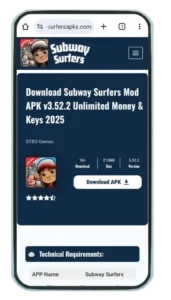
Finding a reliable website is the first and most important step. A website like SubwaySurfersApks.com may claim to be safe, but you should always be cautious. Look for reviews or reports from other users. Look for websites that have a good reputation for providing clean files.
Sites like subwaysurfersapks.com are known for their strict security checks. You can also check their post on the top endless runner games to see if they cover other reputable titles.
Enable “Install Unknown Apps” on Your Device
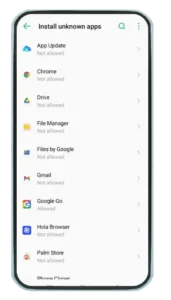
By default, Android phones block app installations from unknown sources. To install a downloaded APK, you must change this setting.
Go to your phone’s Settings.
Search for “Install unknown apps” or “Special access.”
Find the app you will use to download the APK (for example, your browser like Chrome or a file manager).
Turn on the “Allow from this source” option for that specific app.
It is very important to turn this setting off again after you finish installing the APK. This will prevent any other unknown files from being installed without your knowledge.
Scan the APK File for Threats
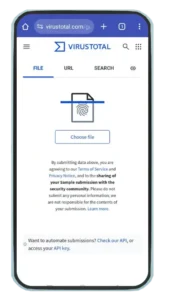
Even if you download from a site that seems safe, you should always scan the file. There are free online tools that can check an APK for viruses and malware.
Use a service like VirusTotal. You can upload the APK file to their website, and it will check the file against many different antivirus engines. This is a quick and easy way to get a safety report for Secure APK Install.
Use an antivirus app on your phone. Some mobile security apps can scan files before you install them.
Check App Permissions
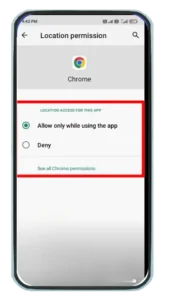
Before you tap the final install button, your phone will show you a list of permissions the app needs. Read this list carefully. Does a Subway Surfers mod need access to your camera, microphone, or contacts? Probably not. If the app requests strange permissions, cancel the installation and delete the file.
Install the APK File
Once you have followed the previous steps and feel the file is safe, you can install it.
Use a file manager app to find the downloaded APK file.
Tap on the file.
A window will pop up asking if you want to install the app. Review the permissions one last time and then tap “Install.”

Turn Off “Install Unknown Apps”
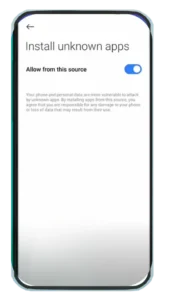
This is a critical final step. Go back to your phone’s settings and turn off the “Allow from this source” option for the app you used. This will help protect your phone from future risks.
Risks & Limitations You Must Know to Secure APK Install
Using mod APKs is not risk-free. You should weigh the trade-offs:
- Your account might be banned if the game’s servers detect a mod.
- Mods may crash or break with future updates.
- You may lose support or updates from the original developer.
- If the APK is malicious, your data could be stolen or device compromised.
- Some mod sites falsely claim safety but don’t deliver on it.
Troubleshooting Common APK Installation Problems and its Solutions:
Sometimes, the installation might not work. Here are some common issues and how to fix them.
- “App not installed” error. This usually means the APK file is corrupt or incomplete. Try downloading the file again from the website. Ensure you have a stable internet connection.
- The app crashes on launch. The mod might not be compatible with your device or your Android version. Check the website for compatibility information. You may need to find a different mod. You may need to find a different mod, perhaps a Subway Surfers classic version.
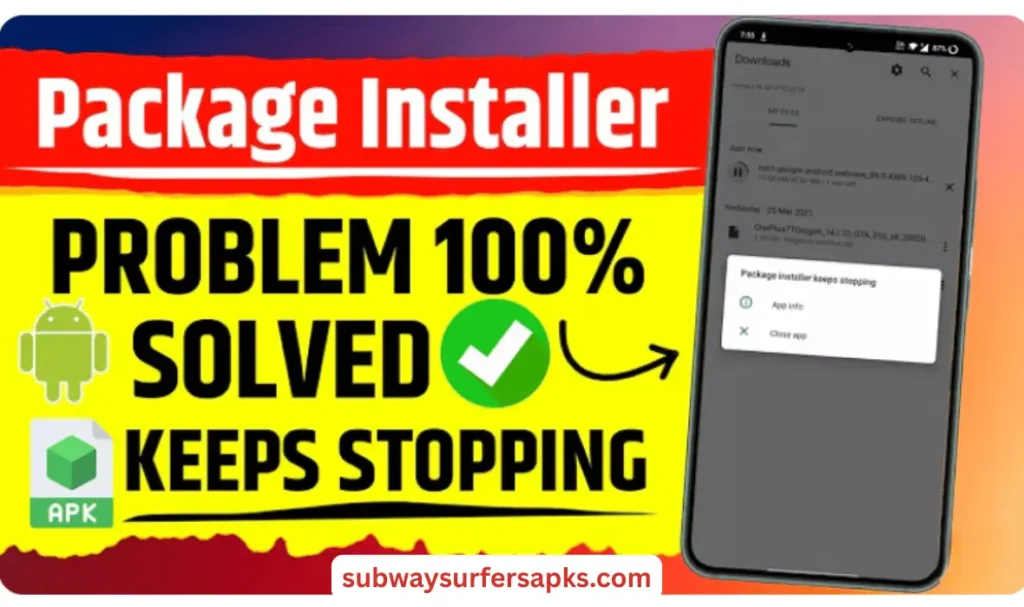
- There is no “Install” button, only “Cancel.” This often means a permission is blocking the install. Go to Settings > Apps. Find your browser and check its special permissions to Secure APK Install. Make sure it is still allowed to install unknown apps.
- Your phone warns against the installation. Modern Android phones have Google Play Protect. It may warn you about apps from outside the Play Store. If you have verified the website’s safety, you can choose to install it anyway. Note that Subway Surfers for iOS has a completely different, more restricted installation process.
Conclusion
Installing a modded Subway Surfers APK securely is possible only if you follow strict checks: use a reputable source like SubwaySurfersApks.com (after verifying its trust), scan the file, check permissions, and install cautiously.
By taking these steps, you can Secure APK Install and enjoy your game while keeping your phone and personal information secure. Once installed, you can use Subway Surfers tips and tricks to improve your gameplay.